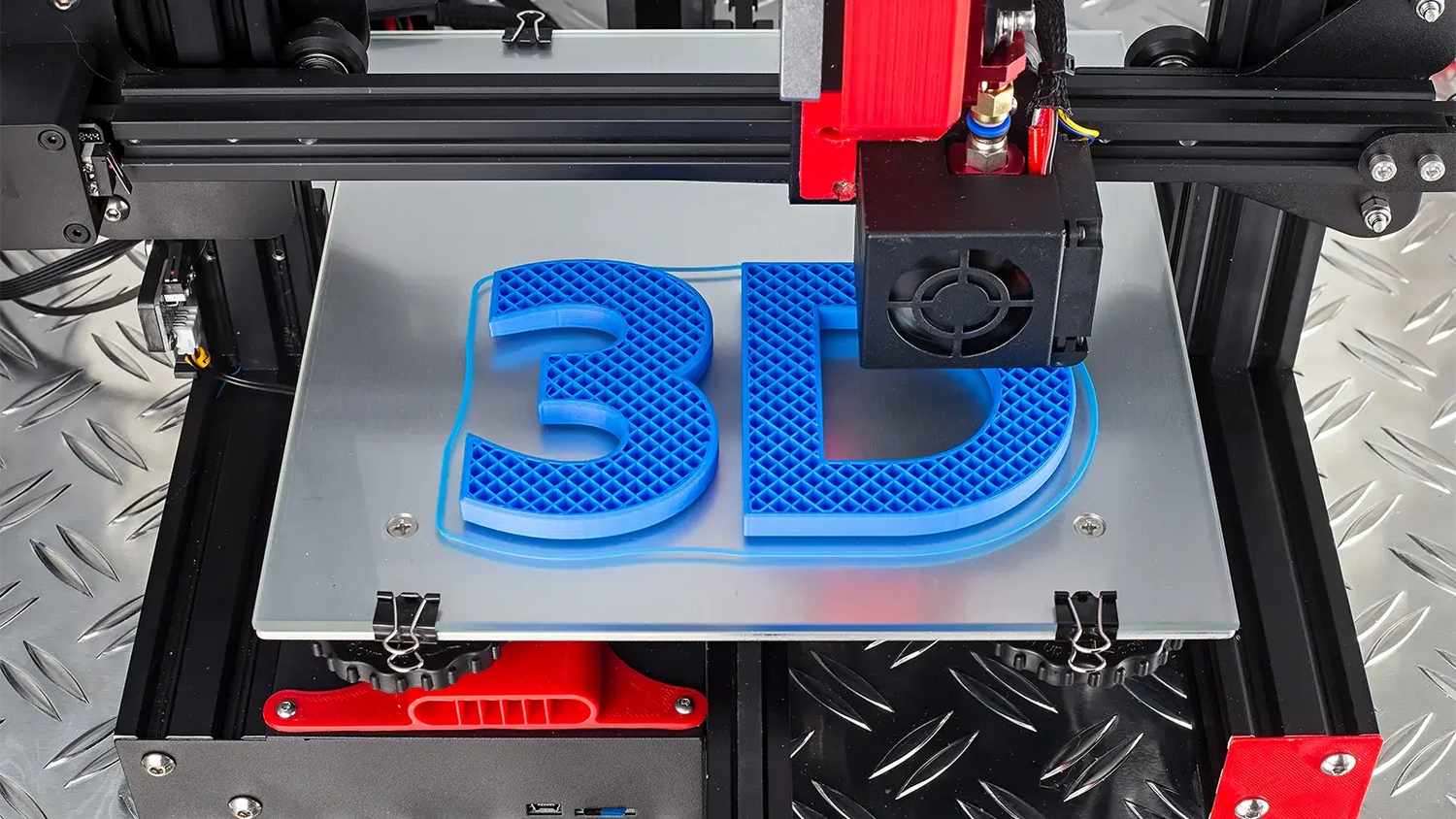
What if you could change the handle of your knife as easily as you change your phone case, using nothing but a spool of plastic and a laptop?
Think about it. You wake up on Monday, and you want a sleek, blacked-out carry for the office. By Friday, you're heading into the woods and need high-visibility blaze orange. In the old days, changing up your everyday carry look meant either spending a fortune on aftermarket parts or spending hours at a belt grinder risking your fingertips.
Traditional knife customization requires expensive machinery, belt grinders, or paying premium prices for third-party scales. To make matters worse, most knife companies lock down their designs like they're state secrets, leaving makers and tinkerers completely in the dark. If you want to modify their products, you're stuck measuring with digital calipers and praying your custom prototype fits.
We thought that was a bummer. By embracing the open source knife CAD files provided by Knafs, anyone with access to a 3D printer can design, print, and install completely custom Lander scales in a single afternoon.
The Knafs Open Source Knife CAD Philosophy
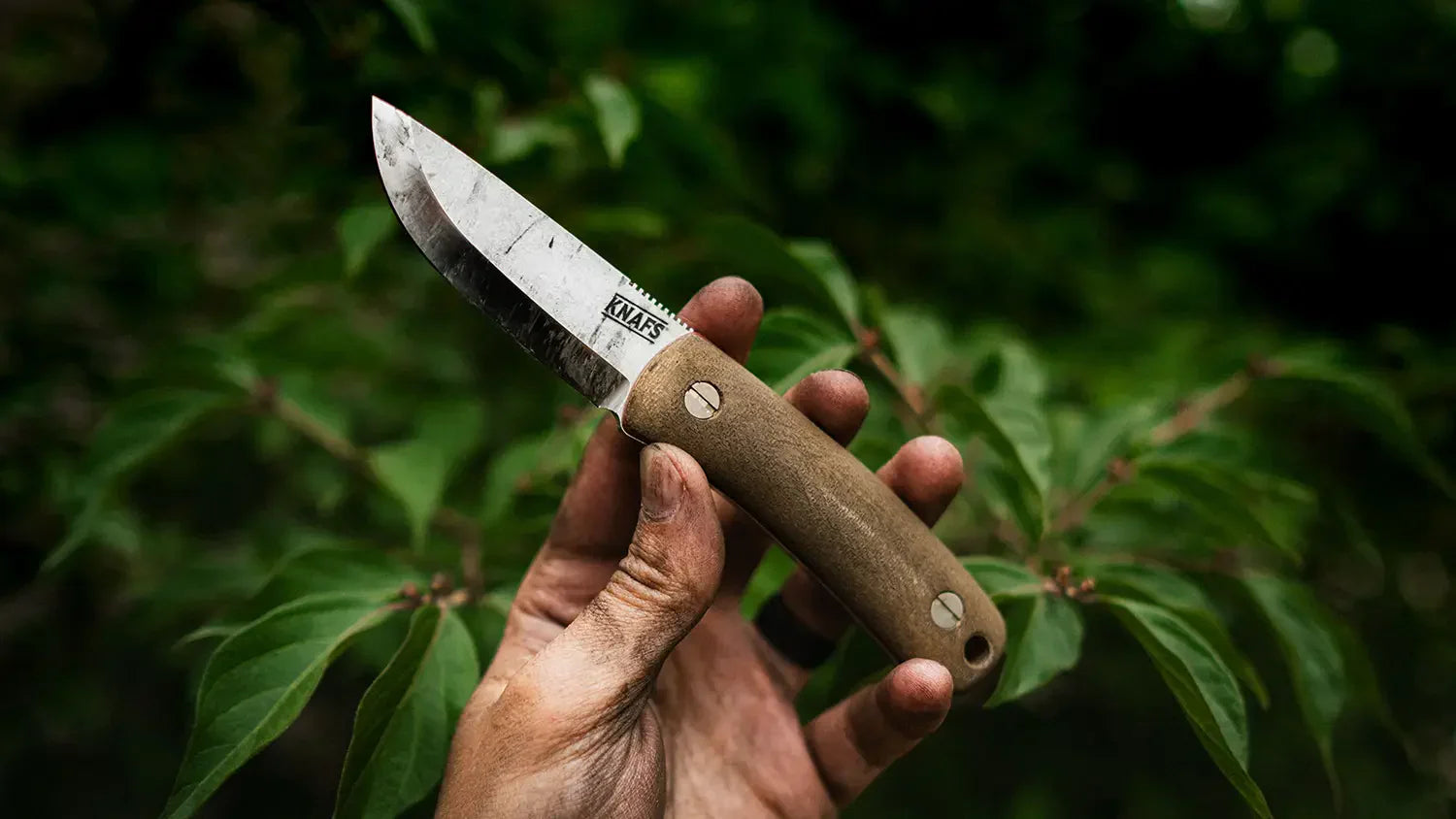
When Ben designed the Lander series, he didn't just want to make another pocket knife. He wanted to make a knife that belonged to you in every sense of the word. That's why the Lander features a Fast and Easy scale swap system. You don't have to take the entire knife apart, risk losing your ceramic pivot balls, or spend an hour cursing at tiny washers just to change the scales. You just back out a few screws on the outside, swap the scales, and tighten them back down.
But we didn't stop there. We took the exact digital blueprints used to manufacture the knife and released them to the public. We believe that open source knife CAD data empowers the community to create incredible things we never could've dreamed up on our own.
Where to Find the Files and What to Do with Them

The Ultimate Maker Warranty
Here's the best part of the whole deal. With almost every other production knife company on earth, the second you unscrew your handles or modify your tool, you void your warranty. They treat customization like a crime.
At Knafs, we look at it differently. Modifying your Lander using our open source knife CAD data won't void your warranty. Now, look, if you melt your blade with a blowtorch or run the liners over with a forklift, we need to talk. But if you're just printing and swapping scales, we're backing you up 100%. We think it's your knife, and you should be able to play with it.
Material Selection for the Pocket
Once you've downloaded the open source knife CAD data, it's time to choose your weapon, by which we mean your filament. Not all 3D printing filaments are created equal when it comes to the rugged demands of an everyday carry tool. Your knife lives in a pocket with keys, drops onto concrete, and gets exposed to sweat, oil, and weather.
Choosing the best 3D printer filament for knife handles comes down to balancing ease of printability with real-world durability.
PLA and PLA+: The Prototyping Champions
PLA is the most popular 3D printing material in the world for a reason. It's cheap, it smells sweet like corn starch when it prints, and it virtually never warps. If you want to use our open source knife CAD files to test out a radical new ergonomic design, PLA is perfect.
However, standard PLA is brittle. If you drop your knife on asphalt, a PLA scale might snap. More importantly, PLA has a very low thermal resistance. If you leave your knife on the dashboard of your truck during a hot July afternoon, you'll return to find a sad, warped piece of plastic that no longer fits your steel liners. Use PLA+ for a bit more impact resistance, but view it mostly as a stepping stone to permanent handles.

PETG: The Everyday Sweet Spot
If you want a scale that prints easily but can actually handle the heat, PETG is your best friend. It offers excellent chemical resistance, decent flexibility so it won't snap under pressure, and it can easily survive the interior heat of a parked car. It can be a little stringy during printing, but a quick pass with a heat gun clears that right up. For most people making custom 3D printed EDC gear, PETG is the ideal choice.
Nylon and Carbon Fiber Nylon: The Grail Tier
If you want a set of handles that feels like a premium, factory-made tool, you want Carbon Fiber Nylon. It's incredibly tough, lightweight, and possesses a natural matte texture that feels amazing in the hand.
However, printing advanced engineering materials requires a capable setup. Nylon is extremely hygroscopic, meaning it sucks moisture out of the air like a sponge. You'll need a dedicated filament dry box to print it successfully.
Furthermore, if you're utilizing a community maker space, a local public library, or a technical college lab, you must check their print bed and nozzle temperature regulations before ordering advanced filaments. Many public printers max out at 250 degrees Celsius, whereas carbon fiber nylon often requires nozzle temperatures closer to 280 degrees Celsius and hardened steel nozzles to prevent the abrasive carbon fibers from ruining the equipment. Always ask the lab manager before hitting print.
Post-Processing and Texturing Your Scales
A raw 3D print straight off the build plate can sometimes feel a bit slick, and those bright layer lines can scream prototype rather than premium tool. If you want to 3D print pocket knife scales that look like they came out of a high-end design shop, you'll need to spend a little time on post-processing.

Unlocking the Slicer Magic: Fuzzy Skin
One of the coolest tricks in modern 3D printing is hidden right inside your slicing software. Whether you use Cura, PrusaSlicer, or Bambu Studio, look for a feature called Fuzzy Skin.
When you activate this setting, the slicer introduces micro-movements to the outer wall of the print. Instead of a smooth, layered plastic look, your printer produces a random, organic roughness. If you tune it correctly, this setting creates a gorgeous textured G10 finish mimicry that provides incredible grip in wet or muddy conditions. It completely hides your layer lines and makes the knife look like an expensive piece of tactical gear.
Sanding and Tumbling for a Matte Look
If you prefer a smooth, melted-stone texture over a rough grip, grab some wet-or-dry sandpaper. Start with 220 grit to knock down the major layer lines, then move to 400 and finally 800 grit. Sanding under a trickling faucet keeps the dust down and prevents the plastic from friction-melting. If you're printing with a high-end polymer like Nylon, you can even toss the printed scales into a rock tumbler with ceramic media for a few hours to achieve a stunning, stone-washed matte finish.
Mind Your Tolerances and Hardware Clearance
Pocket knives are precision instruments. A discrepancy of just a fraction of a millimeter can cause your action to bind up or your blade to sit off-center. When you're cleaning up your fresh prints, pay close attention to the counterbore screw dimensions.
The screws that come with your Lander need to sit completely flush within the scale so they don't snag on your pocket. If your printer over-extrudes slightly, the counterbore holes might be a hair too tight. Use a small drill bit or a deburring tool turned by hand to gently clear out any stray plastic bits inside those recesses. This ensures the screw heads seat perfectly against the inner liners.

The Knafs Open Source Knife CAD Advantage
We didn't just throw our files onto the internet and wish you good luck. We built an entire ecosystem around the concept of digital manufacturing. We don't just sell completed knives; we sell the bare bones.
If you head over to our store, you can buy Lander Insides and scaleless base kits specifically curated for the making community. If you already have a 3D printer, you don't need to buy a fully assembled knife just to throw away the stock scales. Grab a base kit, print your own handles, and build your knife from scratch.
Our manufacturing tolerances are incredibly tight. Our precision pivot systems and liner dimensions mean that if your 3D printer is properly calibrated, our factory parts will drop right into your printed scales with zero wiggle room. You get rock-solid lockup and smooth action right out of the gate.
This completely changes your relationship with your tools. By utilizing our shared data, your pocket knife transforms from a static, unchangeable consumer product into an evolving canvas for your digital creativity. You're no longer just a consumer; you're an active part of the design process.
Bringing Your Digital Creation to Life
Once your parts are printed and cleaned up, the assembly process is a breeze. If you find that your blade is leaning a bit to one side after tightening the screws, don't panic. Achieving perfect blade centering adjustment on a knife with custom handles is a simple art form.
Just loosen the scale screws slightly, wedge a small piece of folded paper between the blade and the liner to force the blade into the opposite direction, tighten the scale screws back down, and remove the paper. This aligns the liners within your custom scales and centers the blade beautifully. For more technical tips on knife maintenance and tuning, you can check out resource guides on community platforms like BladeForums or watch alignment tutorials on YouTube.
To recap the whole journey:
- Download the official blueprints from our public repository.
- Choose a durable filament like PETG or Carbon Fiber Nylon.
- Dial in your slicer settings using tricks like Fuzzy Skin.
- Clean out your screw recesses and assemble your custom tool.
The Lander isn't just a piece of sharp steel. It's an open platform that bridges the gap between digital manufacturing and old-school pocket utility. We've provided the foundation, but you get to build the house.
Ready to slice some filament and burn some midnight oil? Download our files, learn how to 3D print Knafs Lander scales, and grab a Lander 1 or Lander 2 Base Kit to start printing your masterpiece today. We can't wait to see what you create.

Leave a comment
This site is protected by hCaptcha and the hCaptcha Privacy Policy and Terms of Service apply.